
Back to the Sobject Crusade list.
Source: AccountTag
You can tag CRM objects. To enable this feature go to Setup > Customize > Tags > Tag Settings and click the Enable Personal Tags feature:

You can select all the object layouts in which you want to use tagging.
Now you can tag your account object:

Click on Add Tags:

Click Save:

These are Personal Tags, but you can also add Public Tags: to enable this feature, contact Salesforce support.
Once this is done you will have the Tag Manager permission on the profile page, that allow to use public tags that can be used org wide:

Once activated you can select the layout in which to enable Public Tags (edit layout and click on the Layout Properties button):

You can add the tags as you did for the Personal ones:

Let’s query the AccountTag object:

YOu can enable the sidebar component for the tag search by clicking on Setup > Home > Home Page Layouts, edit your home page layout and select the Tag component:
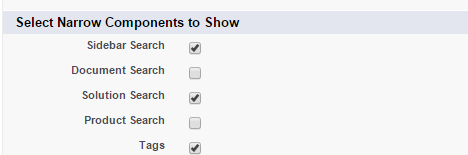
This components outputs as:

Click on the Tag link of the sidebar component to browse tags:
